'/%3e%3cpath%20d='M31%2038c0-8%206-14%2014-14h38c8%200%2014%206%2014%2014v52c0%208-6%2014-14%2014H45c-8%200-14-6-14-14V38z'%20fill='url(%23tmPanel)'%20filter='url(%23tmShadow)'/%3e%3cpath%20d='M44%2044h40'%20fill='none'%20stroke='%23f97316'%20stroke-width='8'%20stroke-linecap='round'/%3e%3cpath%20d='M44%2061h24'%20fill='none'%20stroke='%23fdba74'%20stroke-width='8'%20stroke-linecap='round'/%3e%3cpath%20d='M43%2087l13-14%2011%2010%2017-21%202%2025H43z'%20fill='%23fb923c'/%3e%3ccircle%20cx='84'%20cy='58'%20r='6'%20fill='%23f97316'/%3e%3cpath%20d='M77%2091l16-18%2014%2014'%20fill='none'%20stroke='%2316a34a'%20stroke-width='7'%20stroke-linecap='round'%20stroke-linejoin='round'/%3e%3cpath%20d='M99%2074h-6v-6'%20fill='none'%20stroke='%2316a34a'%20stroke-width='7'%20stroke-linecap='round'%20stroke-linejoin='round'/%3e%3cpath%20d='M30%2034c8-10%2020-15%2034-15s26%205%2034%2015'%20fill='none'%20stroke='%23fff7ed'%20stroke-width='5'%20stroke-linecap='round'%20opacity='.92'/%3e%3cpath%20d='M27%2096c9%208%2021%2012%2037%2012s28-4%2037-12'%20fill='none'%20stroke='%23fff7ed'%20stroke-width='5'%20stroke-linecap='round'%20opacity='.72'/%3e%3c/svg%3e)
Ergonomic mouse for working from home: vertical or contoured, and which size?
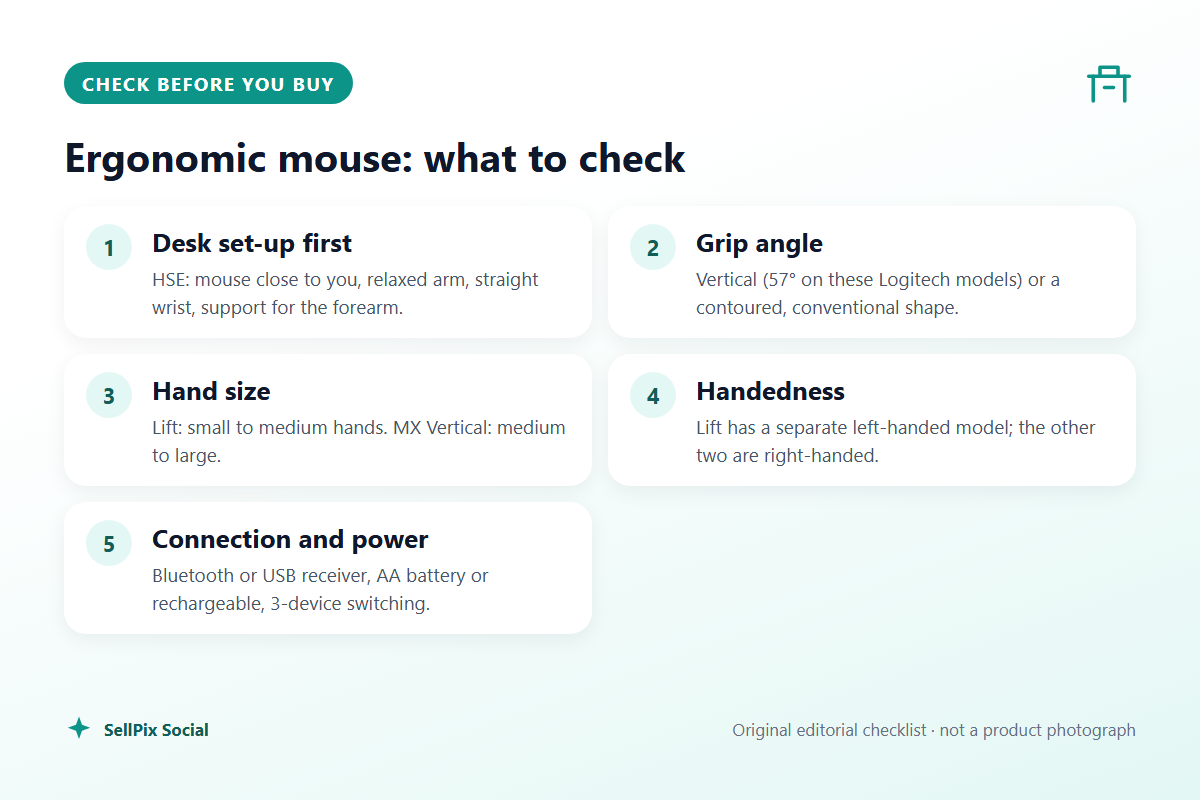
An ergonomic mouse helps most when the rest of the desk is right: mouse close to the keyboard, a relaxed arm, a straight wrist and regular breaks, as the HSE checklist puts it. This guide shows how to match the shape to your hand and habits, from a small vertical mouse with a left-handed version to a larger vertical and a contoured mouse for people who find vertical grips awkward.
Quick answer: Sort the desk first: the HSE checklist wants the mouse close to you, a relaxed arm, a straight wrist and short, frequent breaks. Then pick the shape. A vertical mouse suits people who want their hand in a handshake position; choose the Logitech Lift for small to medium hands (it also comes in a left-handed version) or the Logitech MX Vertical for medium to large hands. If a vertical grip feels awkward, a contoured mouse such as the Logitech MX Master 3S keeps a familiar grip with a supported palm.
Start with the desk, not the mouse
No mouse fixes a workstation that makes you stretch. The Health and Safety Executive's display screen equipment (DSE) workstation checklist asks whether the mouse is positioned close to the user, ideally right beside the keyboard, and whether there is support for the wrist and forearm, for example from the desk surface or the arm of a chair. It suggests encouraging a relaxed arm and straight wrist, avoiding over-reaching, and not leaving your hand on the mouse when you are not using it. It also says that if a user is having problems, trying a different device is reasonable, because mice come in a variety of shapes and sizes.
Breaks matter as much as shape. HSE's guidance on working safely with display screen equipment says there is no legal rule on break length, but that short breaks taken often are better than longer ones taken less often: 5 to 10 minutes every hour is better than 20 minutes every 2 hours. At home nobody plans those breaks for you, so build them in.
A few quick fixes before buying anything:
- Use a compact keyboard or one without a number pad, so the mouse sits closer to your body.
- Raise the chair or lower the desk so your forearm is roughly level and supported.
- Slow the pointer speed down if you find yourself gripping hard to hit small targets, or speed it up if you keep lifting and re-centring the mouse.
Vertical or contoured?
A vertical mouse turns your hand on its side. Logitech says the 57-degree angle on both its Lift and MX Vertical puts the hand in a "natural handshake position" with less pressure on the wrist. That is Logitech's description of the design, not a medical promise, and the change takes some getting used to: fine movements, such as selecting text, can feel clumsy for the first days.
A contoured mouse, such as the MX Master 3S, keeps your palm flat but fills it, with a thumb rest and a shape that supports the whole hand rather than just the fingertips. It is the gentler change if you mostly want a bigger, better-supported mouse than the one bundled with your laptop.
If you have not tried either, a vertical mouse is the bigger change; a contoured one is the safer first step.
Match the size to your hand
Size is the most common mistake. Logitech says the Lift is optimised for small to medium hands and the MX Vertical for medium to large hands. A vertical mouse that is too large forces you to stretch your fingers to the buttons; one that is too small leaves the little finger dragging on the desk. Measure from the crease of your wrist to the tip of your middle finger and compare it with the maker's sizing guide before ordering, and keep the packaging until you have used it for a full working week.
Left-handed users
Most ergonomic mice are right-handed only. The Lift is the exception in this guide: Logitech makes a dedicated left-handed version (Lift Left), sold as a separate product. The MX Vertical and MX Master 3S are right-handed shapes. Make sure the listing says left before you order.
Connection, battery and multiple computers
Many people work on a work laptop and a personal computer from the same desk. All three mice here pair with up to three devices and switch with a button (Logitech calls it Easy-Switch). Check how each connects:
- Lift: Bluetooth Low Energy or the included Logi Bolt USB receiver; runs on one AA battery, which Logitech says can last up to 24 months.
- MX Vertical: Bluetooth, Logitech's Unifying USB receiver or the USB-C charging cable; rechargeable, up to 4 months per charge according to Logitech.
- MX Master 3S: Logitech says up to 70 days per charge. Logitech sells a Bluetooth Edition without a receiver and a version with a Logi Bolt receiver; the Amazon.co.uk listing we checked says Bluetooth or the included Logi Bolt receiver.
Work laptops sometimes block Bluetooth pairing or USB receivers, so check with your IT team if your employer manages the machine. A Logi Bolt receiver also needs a free USB-A port; many slim laptops only have USB-C.
Buying decision
- Choose the Logitech Lift if your hands are small to medium, you are left-handed (buy the Lift Left), or you want a vertical mouse that runs for a long time on an AA battery.
- Choose the Logitech MX Vertical if your hands are medium to large and you want a rechargeable vertical mouse with a USB-C cable you can also use while it charges.
- Choose the Logitech MX Master 3S if a vertical mouse feels awkward and you want a well-supported conventional grip, quiet clicks and a fast scroll wheel for long documents and spreadsheets.
- Skip all three until you have fixed the desk set-up, and see your GP or occupational health service if you already have pain, numbness or tingling; a new mouse is not a treatment.
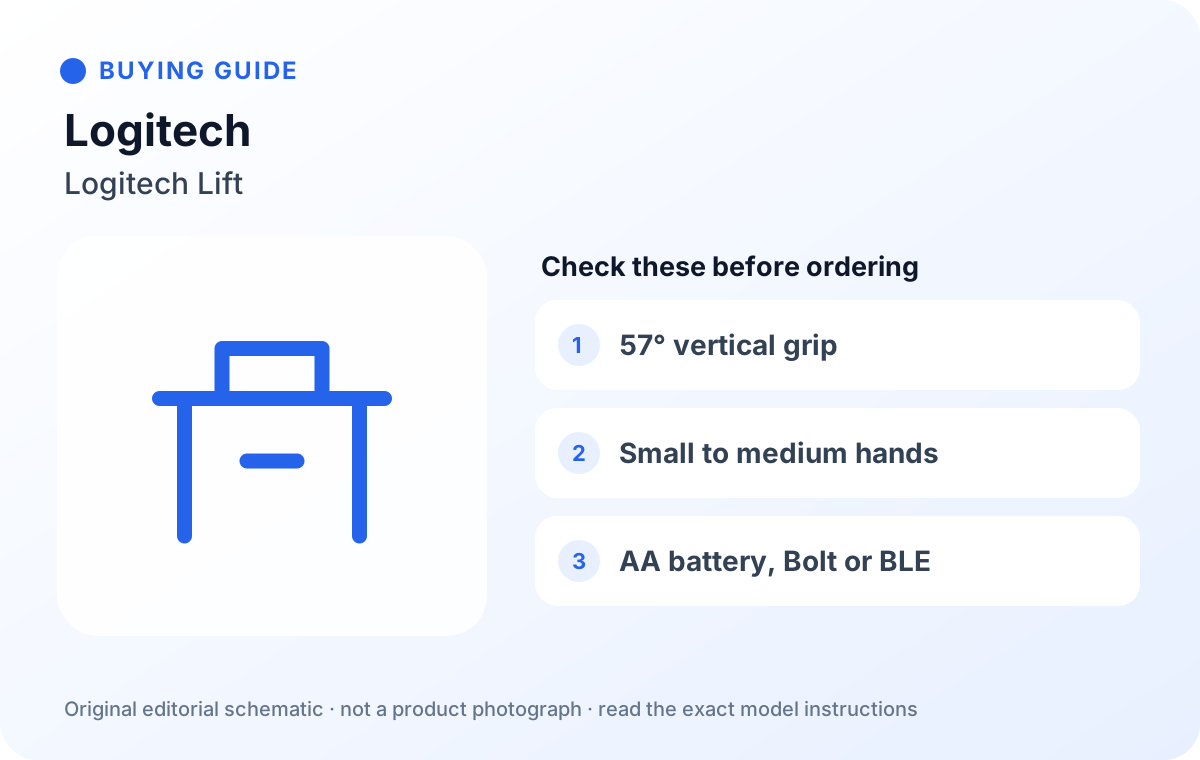
Logitech Lift Vertical Ergonomic Mouse (Grey)
A 57-degree vertical mouse that Logitech optimises for small to medium hands, with a separate left-handed model. It runs on one AA battery, connects by Bluetooth Low Energy or the included Logi Bolt receiver, and switches between up to 3 devices.
Logitech MX Vertical Ergonomic Mouse, Multi-Device, Bluetooth or 2.4GHz Wireless with USB Unifying Receiver, Black
Logitech's larger 57-degree vertical mouse, for medium to large hands. It is rechargeable over USB-C (Logitech quotes up to 4 months per charge) and connects by Bluetooth, the Unifying USB receiver or the charging cable.
Logitech MX Master 3S - Wireless Mouse with Ultra-fast Scrolling
A contoured, right-handed mouse with a thumb rest, Quiet Clicks and a MagSpeed scroll wheel. It is rechargeable (Logitech quotes up to 70 days per charge) and switches between up to 3 devices; the listing we checked includes a Logi Bolt receiver.
| Logitech Lift | Logitech MX Vertical | Logitech MX Master 3S | |
|---|---|---|---|
| Shape | Vertical, 57° | Vertical, 57° | Contoured, right-handed |
| Hand size (Logitech) | Small to medium | Medium to large | Check sizing guide |
| Left-handed version | Yes, Lift Left (separate) | No | No |
| Power | 1 x AA, up to 24 months | Rechargeable, up to 4 months | Rechargeable, up to 70 days |
| Connection | Bluetooth LE or Logi Bolt | Bluetooth, Unifying receiver or USB-C cable | Bluetooth or Logi Bolt (listing checked) |
| Devices | Up to 3 | Up to 3 | Up to 3 |
Before you order
- Check the hand size Logitech gives for the model, and measure your hand.
- Left-handed? Make sure the listing is the Lift Left, not the standard Lift.
- For the MX Master 3S, check the listing still says the Logi Bolt receiver is included; the Bluetooth Edition has none.
- Check you have the right port (USB-A for the receivers) or that your laptop allows Bluetooth pairing.
- Allow a week to adjust to a vertical mouse, and keep the packaging in case it does not suit you.
FAQ
Will a vertical mouse stop wrist pain?
No mouse can promise that. HSE treats the mouse as one part of the workstation, alongside its position, wrist and forearm support, and regular breaks. If you have pain, see your GP or occupational health service.
How long does it take to get used to a vertical mouse?
It varies. Expect fine control to feel clumsy for the first few days. Lowering the pointer speed slightly can help while you adjust.
Does my employer have to provide a mouse when I work from home?
It depends. HSE's home-working guidance says the DSE regulations can apply to people who work at home on a permanent or long-term basis (not to occasional or short-term home working), that employers should carry out a DSE assessment, and that if it shows equipment is needed, workers cannot be charged for it. Ask your employer about an assessment before buying your own.
Bluetooth or USB receiver?
Bluetooth leaves your ports free; a receiver can be more reliable in busy wireless environments and works before you log in on some machines. All three mice here offer Bluetooth, and the Lift and MX Vertical include a receiver.
Is a contoured mouse ergonomic?
Yes, in the sense that it supports the hand better than a small flat mouse, but it keeps the palm facing down. If your aim is to turn the forearm, choose a vertical model.
How we researched this
On 2026-10-10 we read the HSE DSE workstation checklist (CK1) and HSE's pages on working safely with display screen equipment and on home working, Logitech UK's product pages and specifications for the Lift, MX Vertical and MX Master 3S, and checked each Amazon.co.uk listing. We did not test these mice; comfort depends on your hand and desk. Logitech's descriptions of its designs are reported as the maker's claims. Buying links and any commission relationship are disclosed on this page.
Sources
- HSE: DSE workstation checklist (CK1, PDF)
- HSE: working safely with display screen equipment
- HSE: home working and display screen equipment
- Logitech UK: Lift Vertical Ergonomic Mouse
- Logitech UK: MX Vertical Ergonomic Mouse
- Logitech UK: MX Master 3S
- Amazon.co.uk listing, ASIN B07W4DGC27
- Amazon.co.uk listing, ASIN B07FNHV4MW
- Amazon.co.uk listing, ASIN B07W5JKHFZ